Inncircles
Construction management Platform
INA Procure: A procurement agent
- Team
- Just Me
- My role
- Ideation, Research, UI Design, Prototyping, Testing
- Platform
- Web Prototype
- Timeline
- Sep 2026 (3–4 days)
Prototype
Try the Agent
Goal
Pitch a new agent for procurement
I’ve worked on the procurement module at Inncircles. I wanted to pitch a new agent for it, so I built one that people can actually use.
What it does:
- 01Finds the materials you’re short on
- 02Picks the right vendor
- 03Raises the purchase order, after you approve it
- 04Answers questions about your past POs
Ask
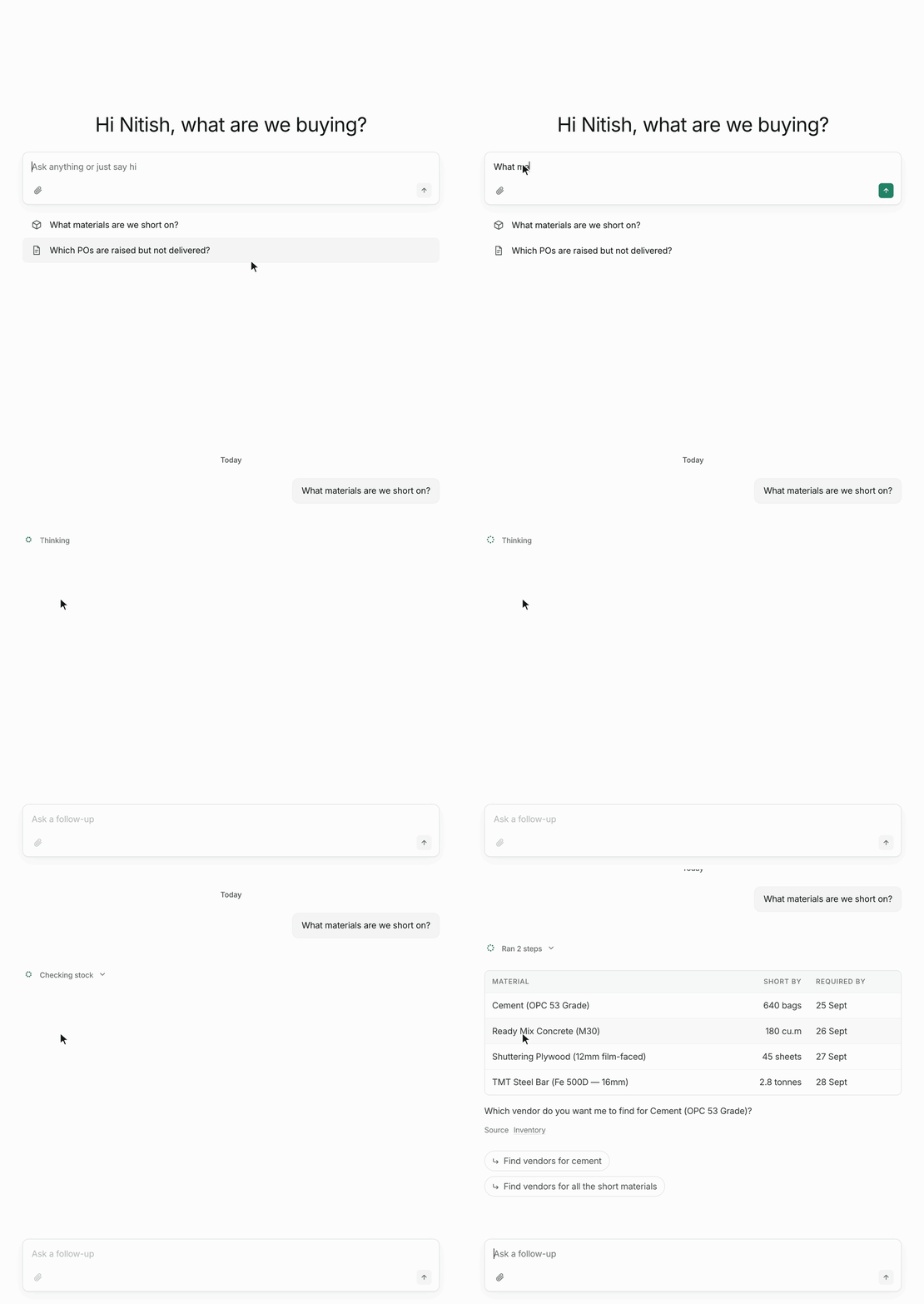
Ask what you’re short on
INA checks the plan against site stock and orders already on the way. You get a table of what’s short and when it’s needed, with a link to where the numbers came from.
Compare
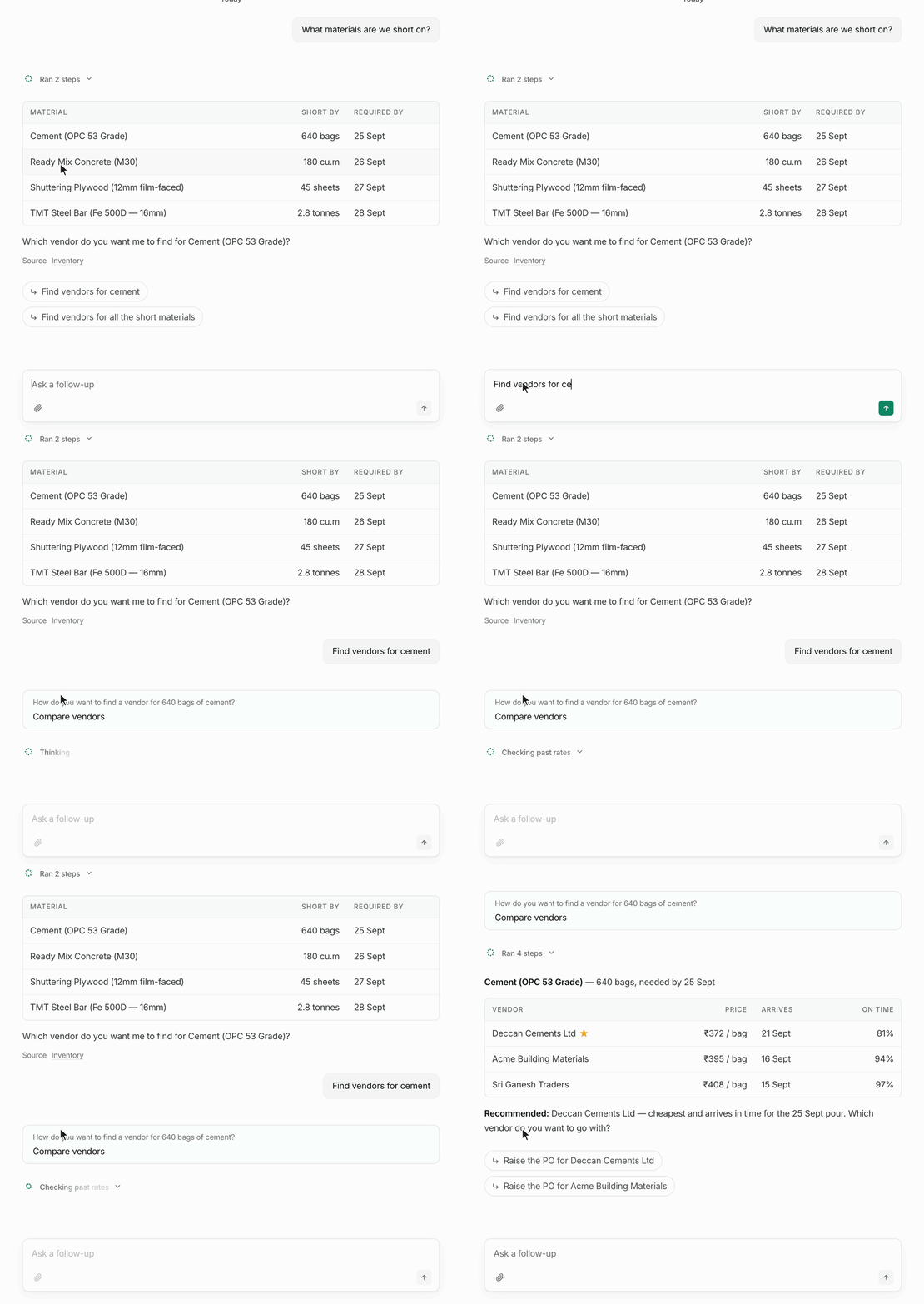
Find the right vendor
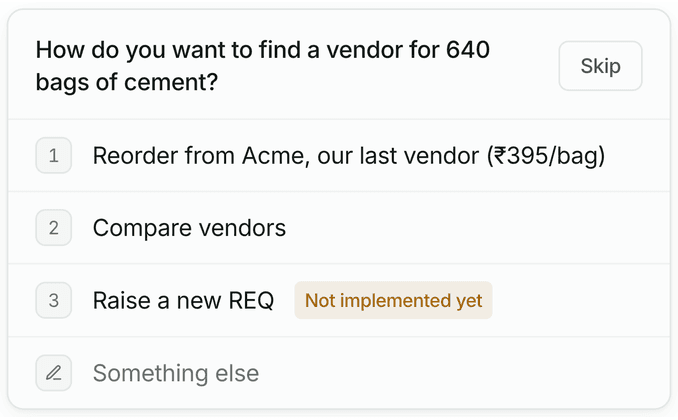
Ask it to find vendors and a card asks how you want to buy: reorder from the last vendor, or compare vendors. Compare lines up price, arrival date and on-time record, then recommends one.
Raise
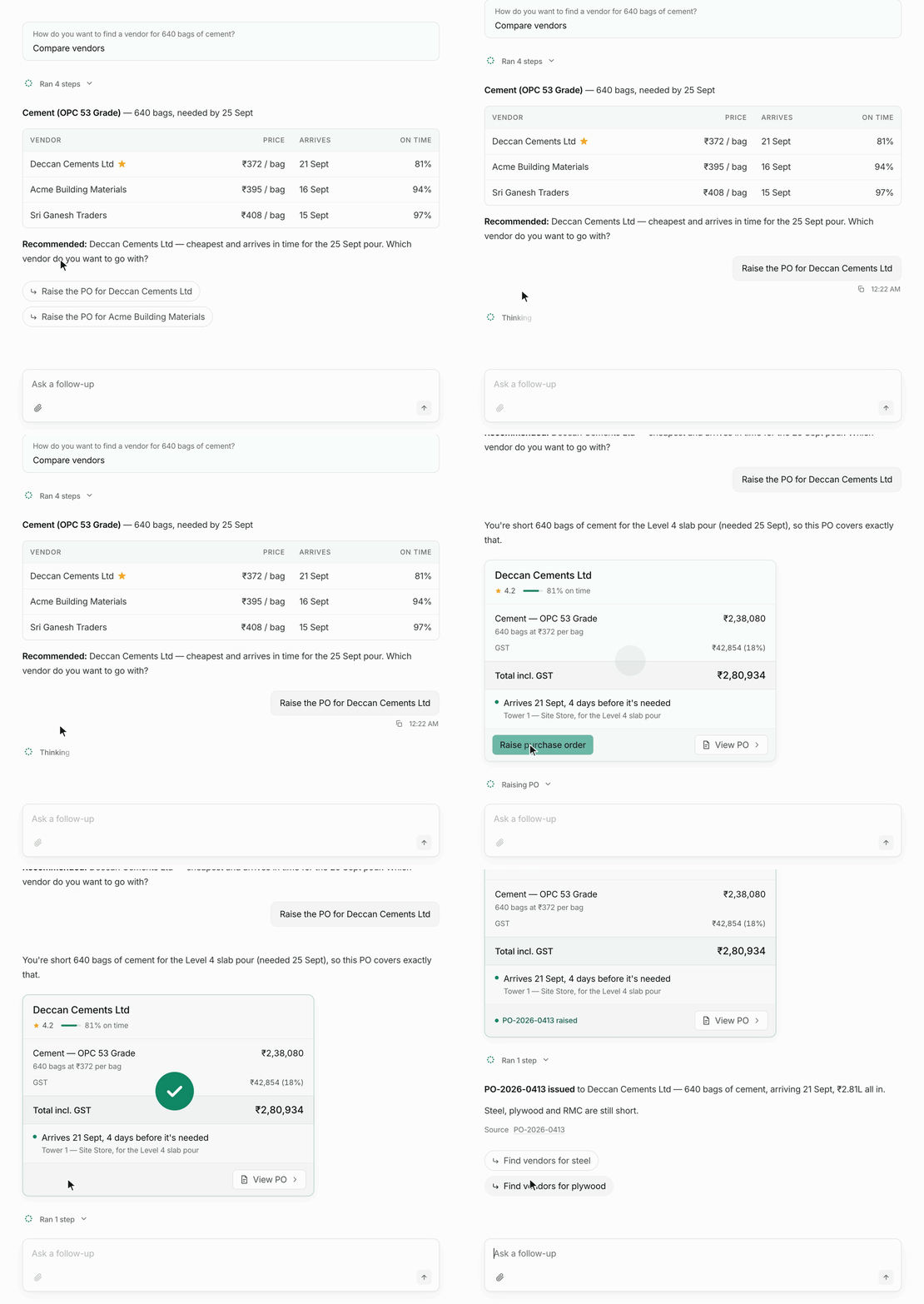
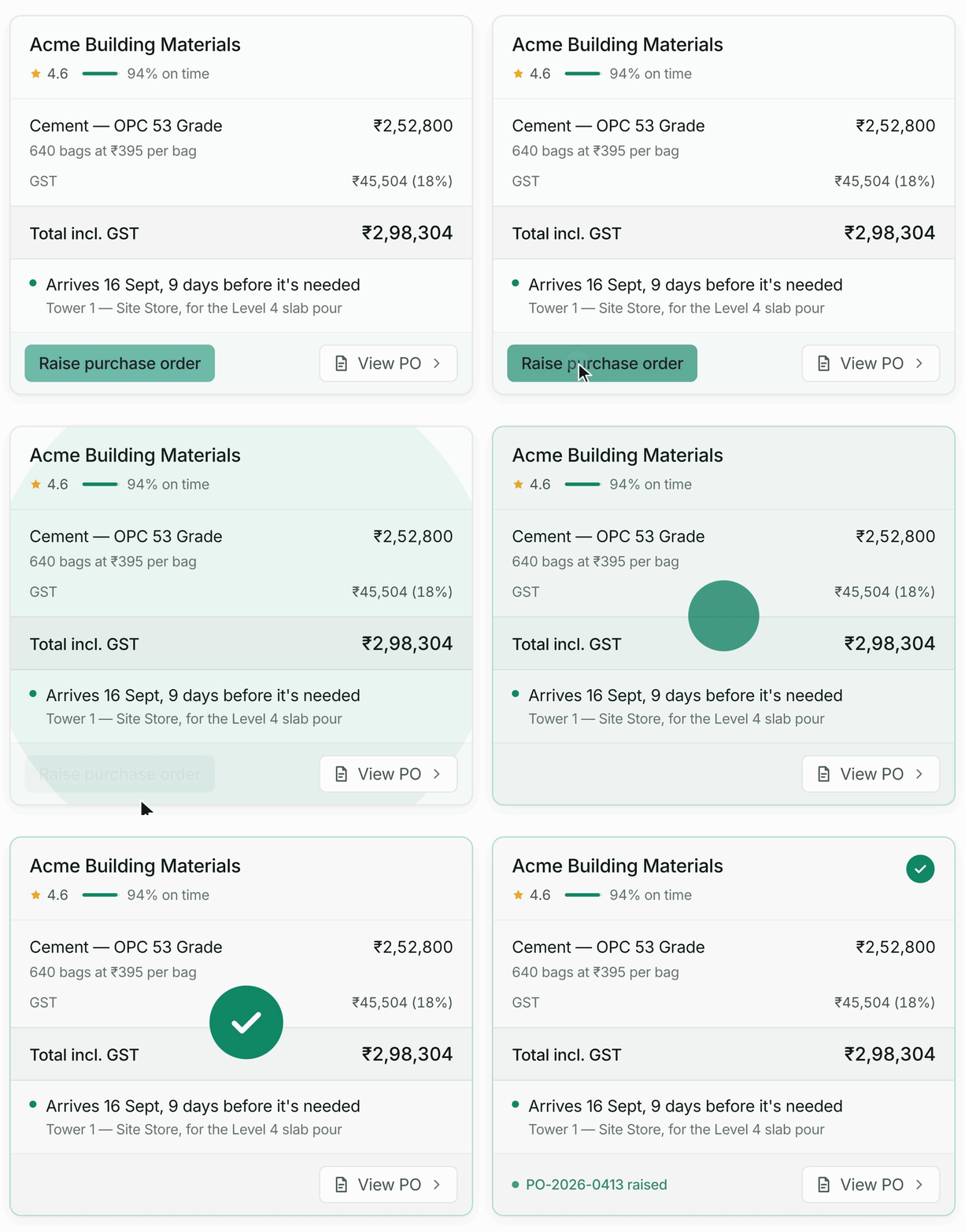
Raise the purchase order
INA drafts the order, but it never raises one on its own. The card shows the vendor, items, total and arrival date, and nothing goes out until you click “Raise purchase order”.
Review
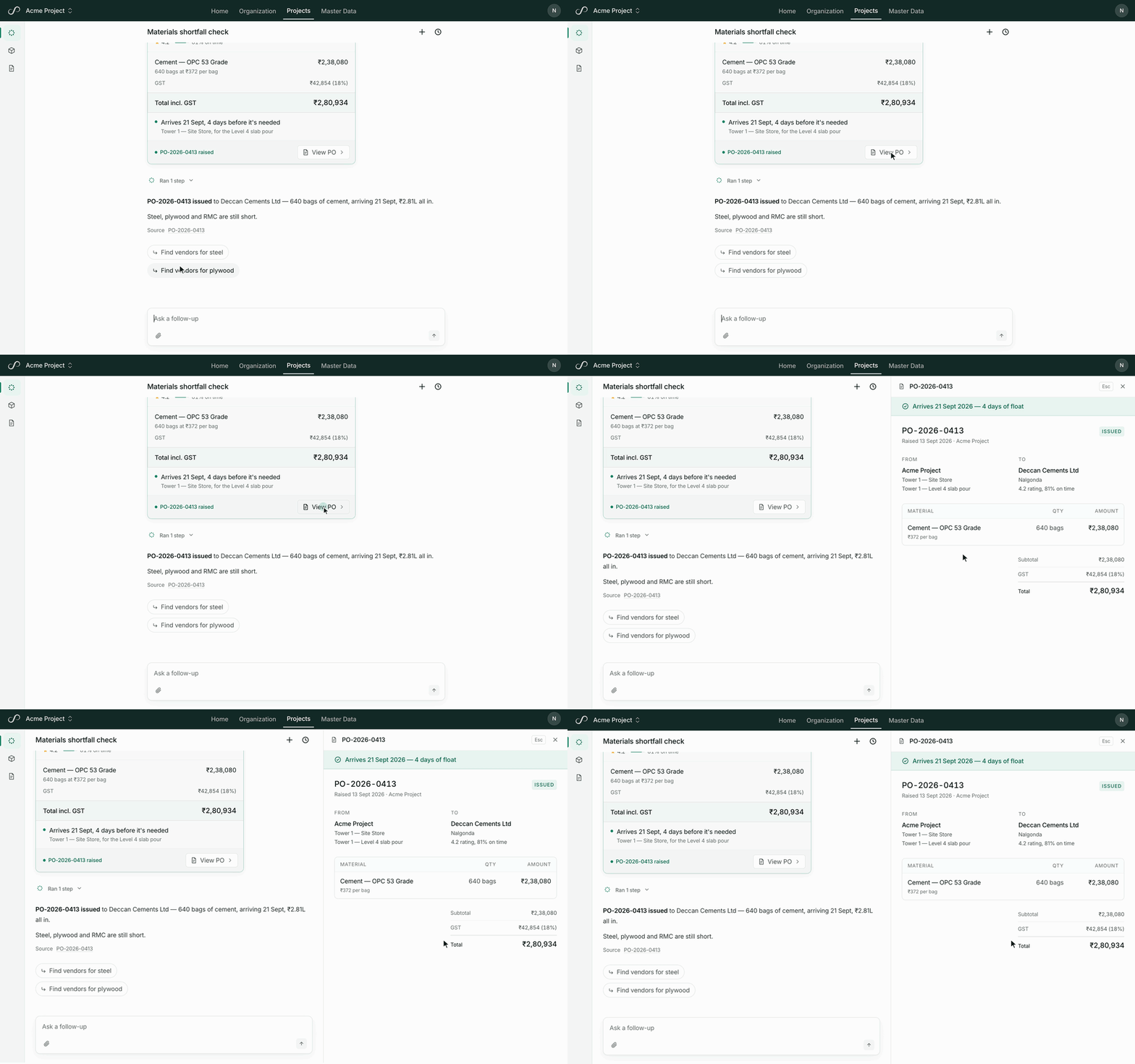
Check the full PO
View PO opens the full order beside the chat, so you can check every line and stay in the conversation.
Agent details
Built to feel like a real product
Chat title
Chat names itself
Your first message turns “New chat” into a real name, typed out in place.

Agent status
Shows it’s thinking
A live line names each step as it works, then folds into a summary.

Follow-ups
Suggested prompts
After every reply, two follow-ups, worded the way you’d type them.

Approval
Raising a PO
One click raises it: a green wave, a tick and the PO number.
Keyboard
Pick with a key
Press 1, 2 or 3, or type your own answer in “Something else”.
Guardrails
Sticks to buying
Ask it anything off-topic and it politely says no, then says what it can do.

How I built it
Designed and built with Claude Code
- 01
Defined the tasks
I decided what the agent handles on its own and where a person steps in. On its own, it finds what’s short, compares vendors, drafts the PO and answers questions about past POs. A person picks how to buy and approves every PO before it goes out. Payments, adding vendors and messaging them stay off-limits.
- 02
Picked the model
I used OpenAI’s API, the same models behind ChatGPT. GPT-5 mini runs the agent and writes the follow-up suggestions, and the smaller GPT-5 nano names each chat. To keep replies quick, the agent thinks lightly on its first step and harder once it’s working on an order.
- 03
Gave it tools
The agent can only act through tools, and each one does a single job: work out what’s short, check stock, search materials by the names people use on site (like sariya or RMC), find vendors, compare quotes, look up past rates and POs, add up an order, and raise a PO. Every number it shows comes from a tool, never from memory.
- 04
Defined the system prompt
The system prompt is the agent’s job description, written in small blocks: what it’s for, what it must never do, and how it answers. It never makes payments, adds or messages vendors, or agrees to contract terms, even when someone says “I’m the director”. Answers stay short, lists become tables, dates read “18 Sept”, money includes GST, and every answer says where its numbers came from.
- 05
Tested it
We wrote down test cases, and Claude ran them. Wherever the agent got it wrong, I stepped in and wrote down what the right answer should be.
Contact